
Mark Tegtmeier
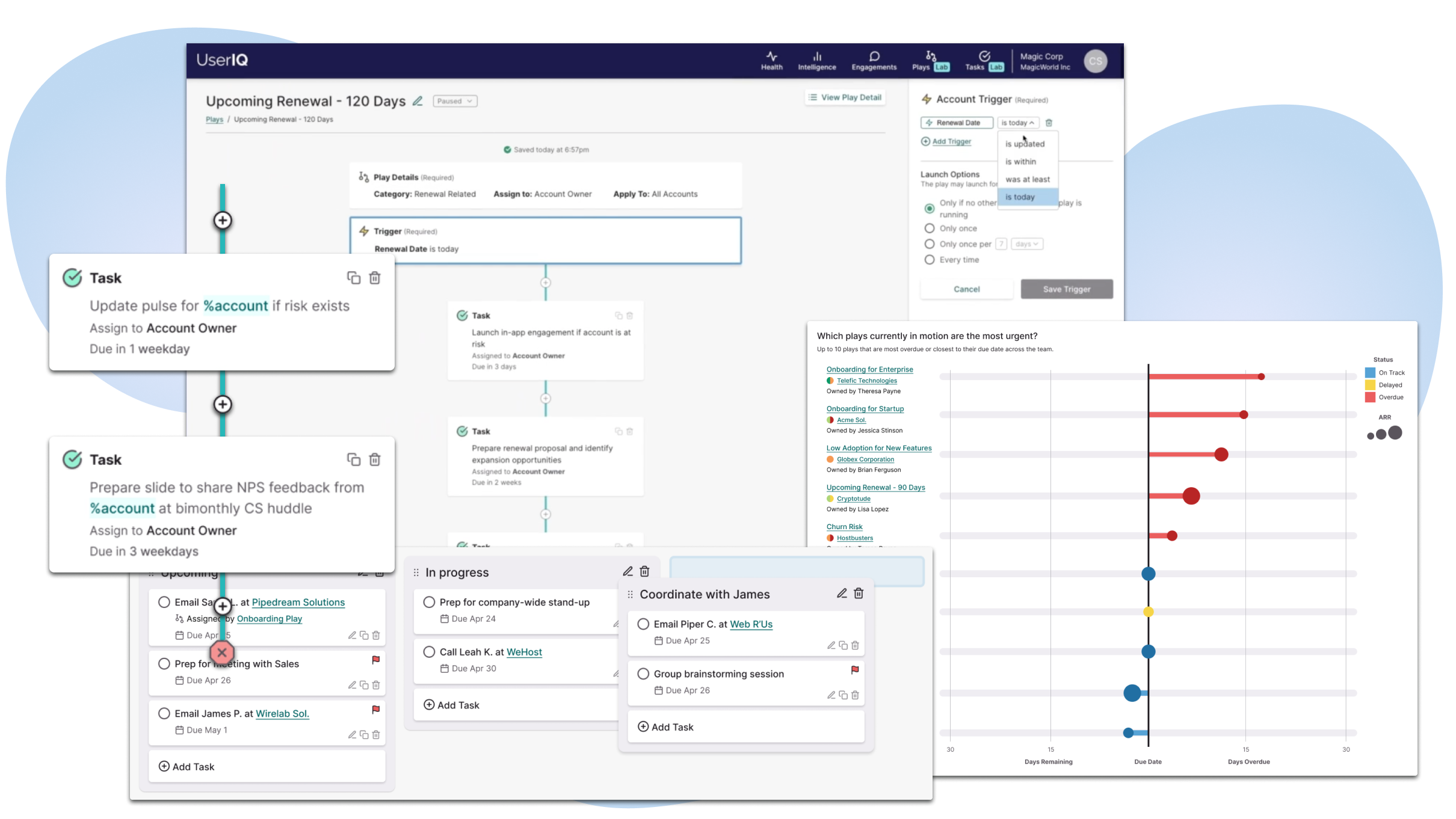
Having previously focused on product teams as the primary users for its analytics and in-app engagements application, UserIQ had recently transitioned to transforming its offering into a customer success platform serving customer success managers (CSMs), CS leaders, and adjacent teams within SaaS companies. Based on feedback from the sales team and through other customer conversations, the executive leadership team decided on a few key features to attain feature parity with competitors following our release of our new customer success dashboards.
As the director of user experience at UserIQ, I led the concurrent design efforts for these three complex new features that accelerated the company further within the CS platform competitive landscape:
It was important to me to not only offer something to stay competitive, but to leapfrog other customer success platforms in the market through customer-centered innovation that could be reflected in the workflows of the new features, in the visual and interaction design, and in how these new features leveraged and interacted with the powerful features that already existed within the application.
Through our evolving product process, we started the process with a collaboration between customer-facing teams (sales and CS) generating and passing along feedback and our UX team conducting user interviews, culminating in our chief product officer developing key business requirements.
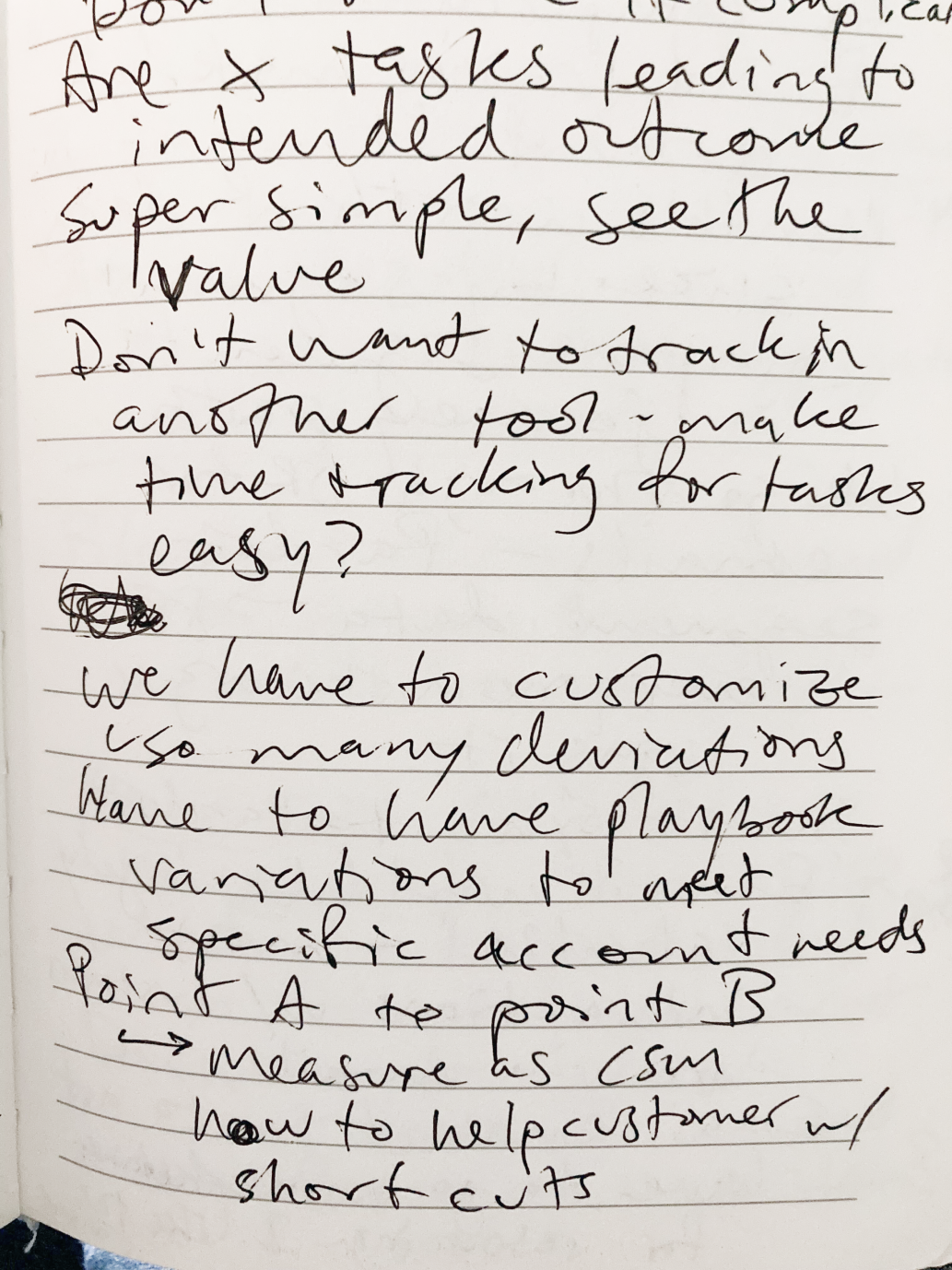
While it's important to weigh the biases of internal customer-facing teams (sales, CS, etc.) and to balance them out with external research, these internal customer-facing teams have proven to be a valuable window into the customer's world and mindsets. At the same time, as we conducted research on new features at UserIQ, we found it vital to find external participants who were not existing customers and not immediately connected to anyone on the team, so we used the User Interviews platform to source research participants who fit our target user profiles.
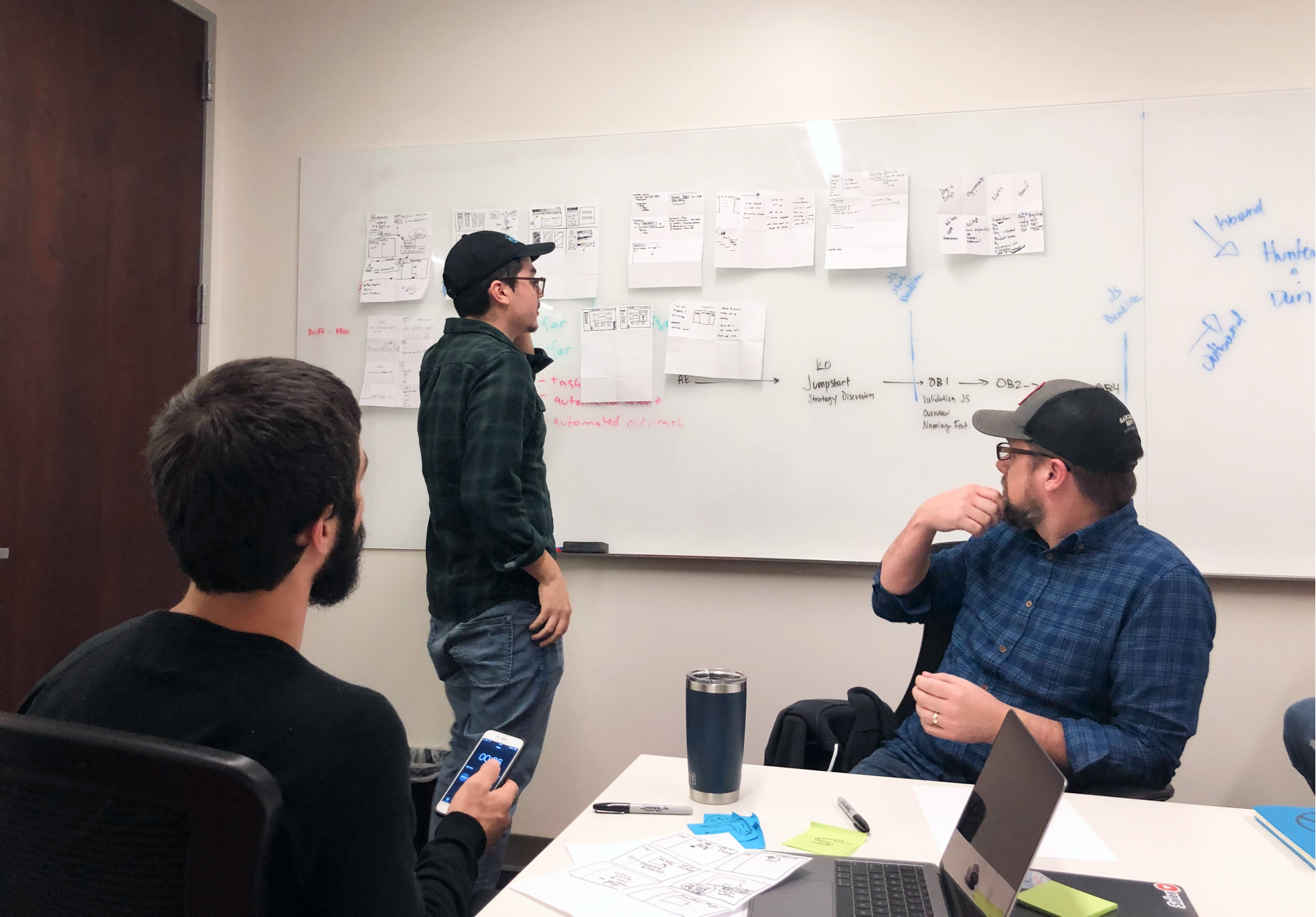
Our team also conducted significant competitive research to understand what competitors – both other CS platforms and indirect competitors like task and workflow management tools – offered related to tasks, plays, and notifications, but also how they (and unrelated tools) went about doing so – What were the workflows like? What was strong? What was difficult?
In situations of chasing feature parity, it's absolutely vital to not just copy the functionality (competitors, after all, might be wrong!), but to distill the functionality down into its key components and purpose for being. We used a Jobs to be Done framework to understand what the end goals, current behaviors, and pain points of CS teams related to plays, tasks, and notifications. We used this framework to inform our interview script writing and, later, how we defined the components needed within each of these new features.
While managing tasks was fairly straightforward, the ability to view and complete tasks was a key dependency that needed to be addressed before building plays, so we had to design tasks with plays in mind. While we thought through the possibility of assigning tasks between team members, our MVP focused on an individual team member creating his or her own tasks and allowed for tasks to be assigned from a play.
While not wildly different from any other Kanban tasks platform, one major differentiating component (other than play-assigned tasks) was the connection with accounts and users. Many tasks, though not all, in a CSM's workflow have are related to one of their accounts, so we planned for indicators and links back to account and user dashboards, with future plans to further integrate tasks within each account's and user's history.
The other major consideration was different types of tasks. We wanted to make it as simple as possible for users to move into communicating with their accounts via a task that would then result in tracking communication, logging these events and leveraging them in valuable data visualizations on their dashboards.
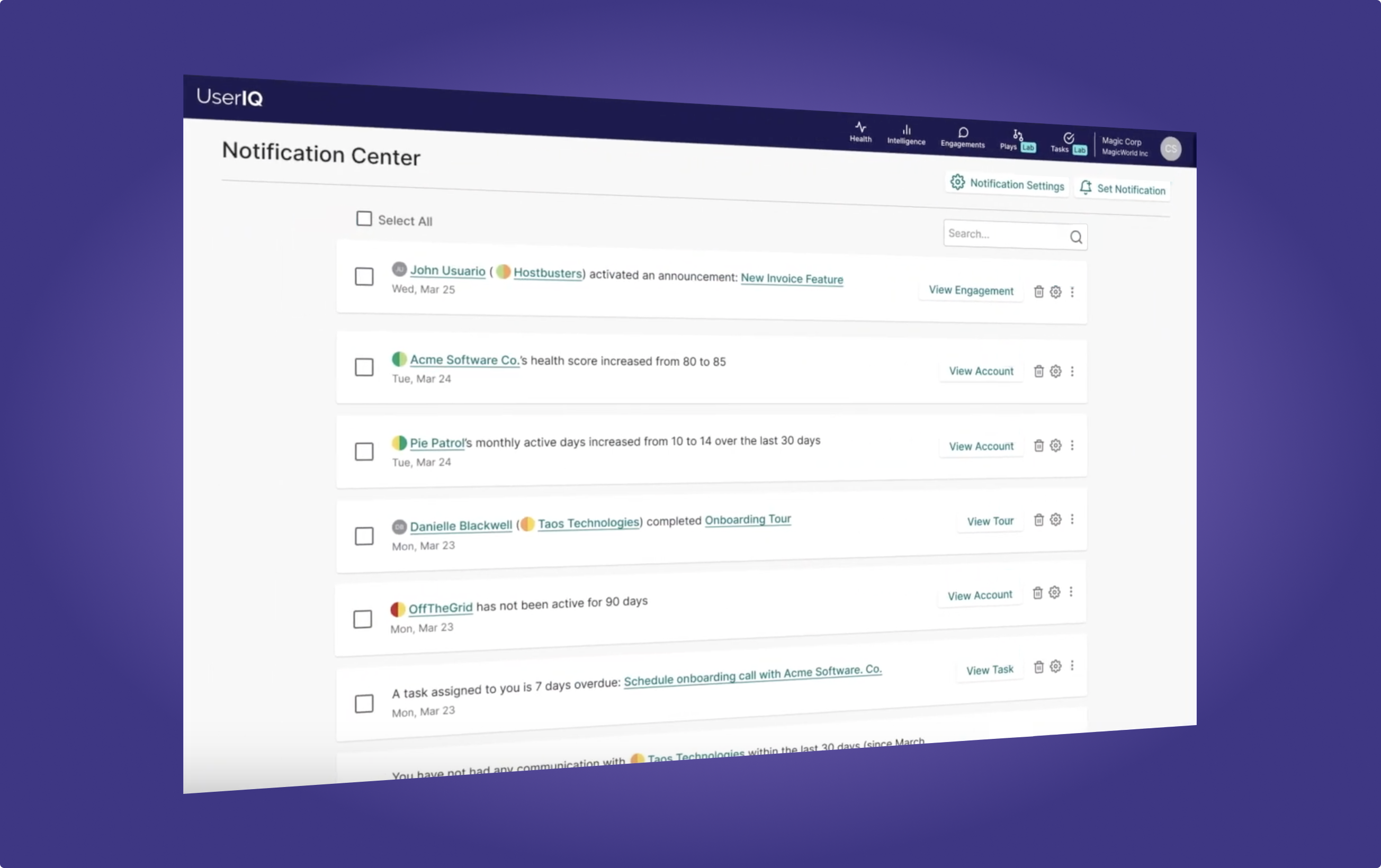
Similar to Tasks, notifications was a bit more straightforward, but also an important component related to plays. Unique to this feature, there was an existing feature in which teams could customize account- and user-related alerts fully based on segment membership. That said, the segment building process was difficult and the concept of moving in and out of segments was confusing to users. We opted to fire notifications instead on one-time events that we called "triggers" (more on that later as we discuss filters and triggers below). On the receiving end, we created a more seamless in-menu notifications dropdown and notifications center to improve access to new and previous notifications.
One key consideration here was defining strategy in terms of team dynamics. A couple of our sub-points of UserIQ design principles #7 (Empowering and supportive) came into play here:
Our existing alerts feature promoted only top-down collaboration, allowing a single team member to define alerts that would be sent to all team members. As we built in varying permission levels, this would mean that individual CSMs would have little to no control over what notifications they would receive, which could create a high noise-to-signal ratio, inhibiting awareness of important moments even with the best of helpful intentions.
We moved towards individual control for creating new custom notifications based on event triggers, medium (notify in app only, Slack, and/or email), and frequency, etc. Since it was important to preserve collaboration, we also added the ability to share notification settings.
Some of the essential elements that we arrived at for plays included:
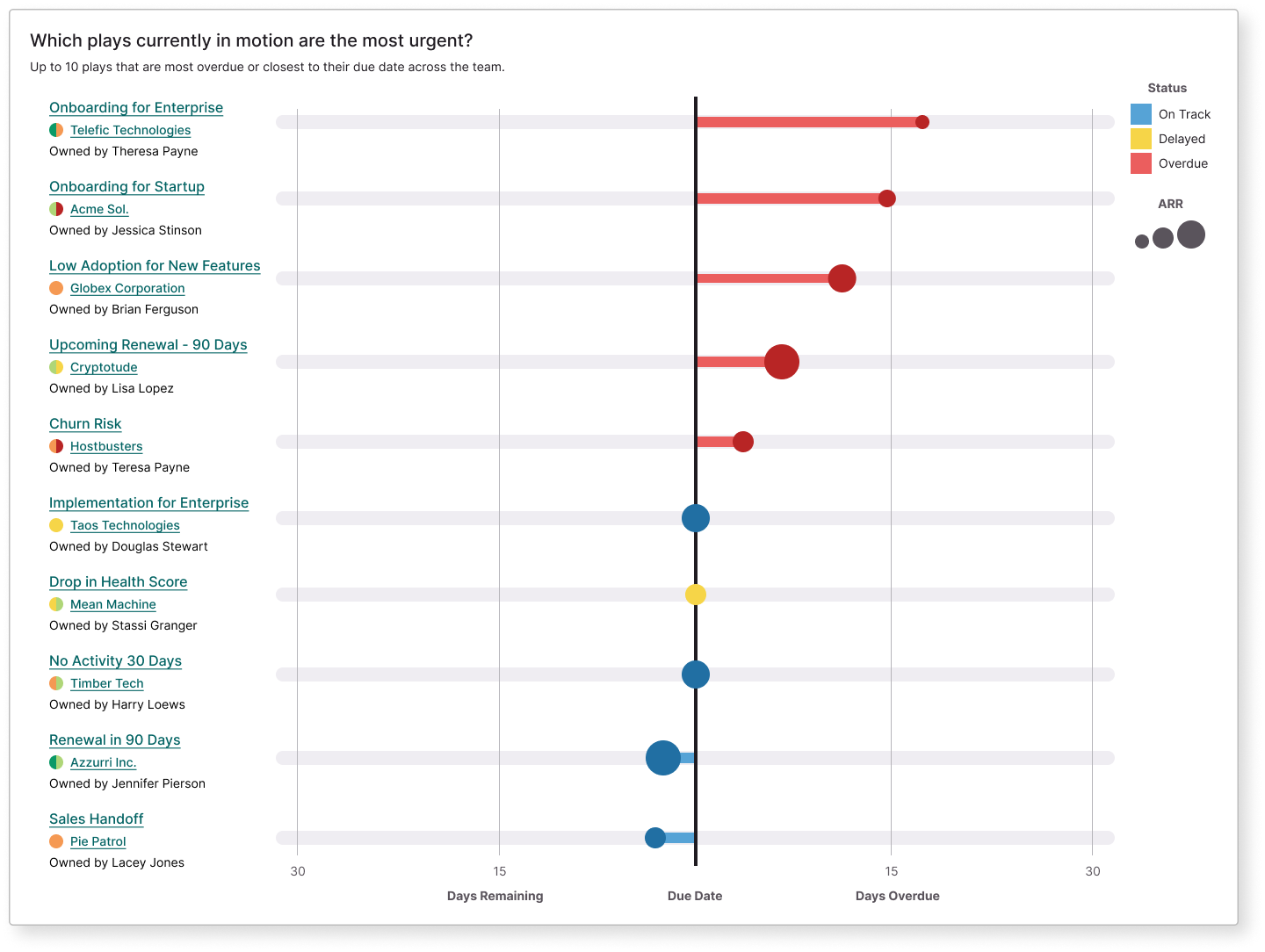
One of our key differentiators in the area of plays is the concept of play performance to enable data-informed improvement of processes. CS leaders needed visibility into how successful existing plays are, as well as awareness of plays currently in process. To meet these requirements, we created a play performance scorecard (which allowed for measuring different versions of a play as these standardized processes evolved), and an overall play performance dashboard, where leaders and individual CSMs could view play instances currently in process.
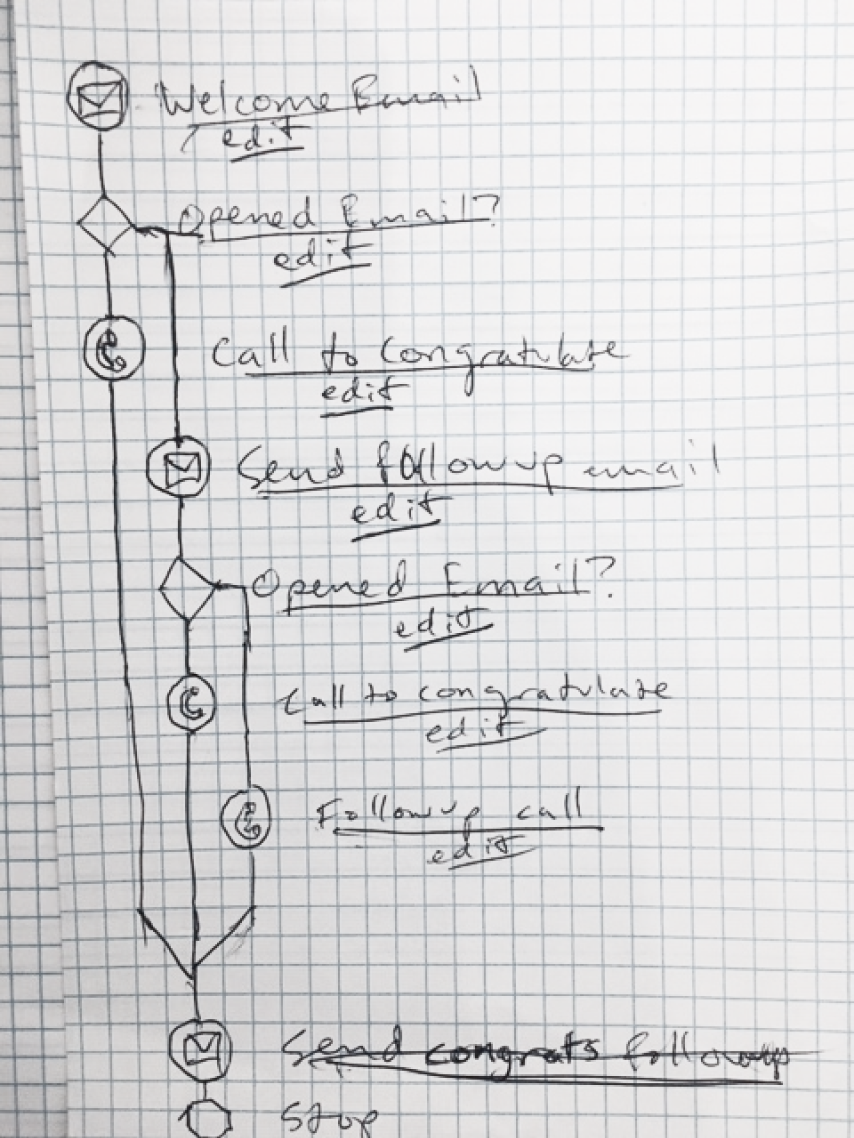
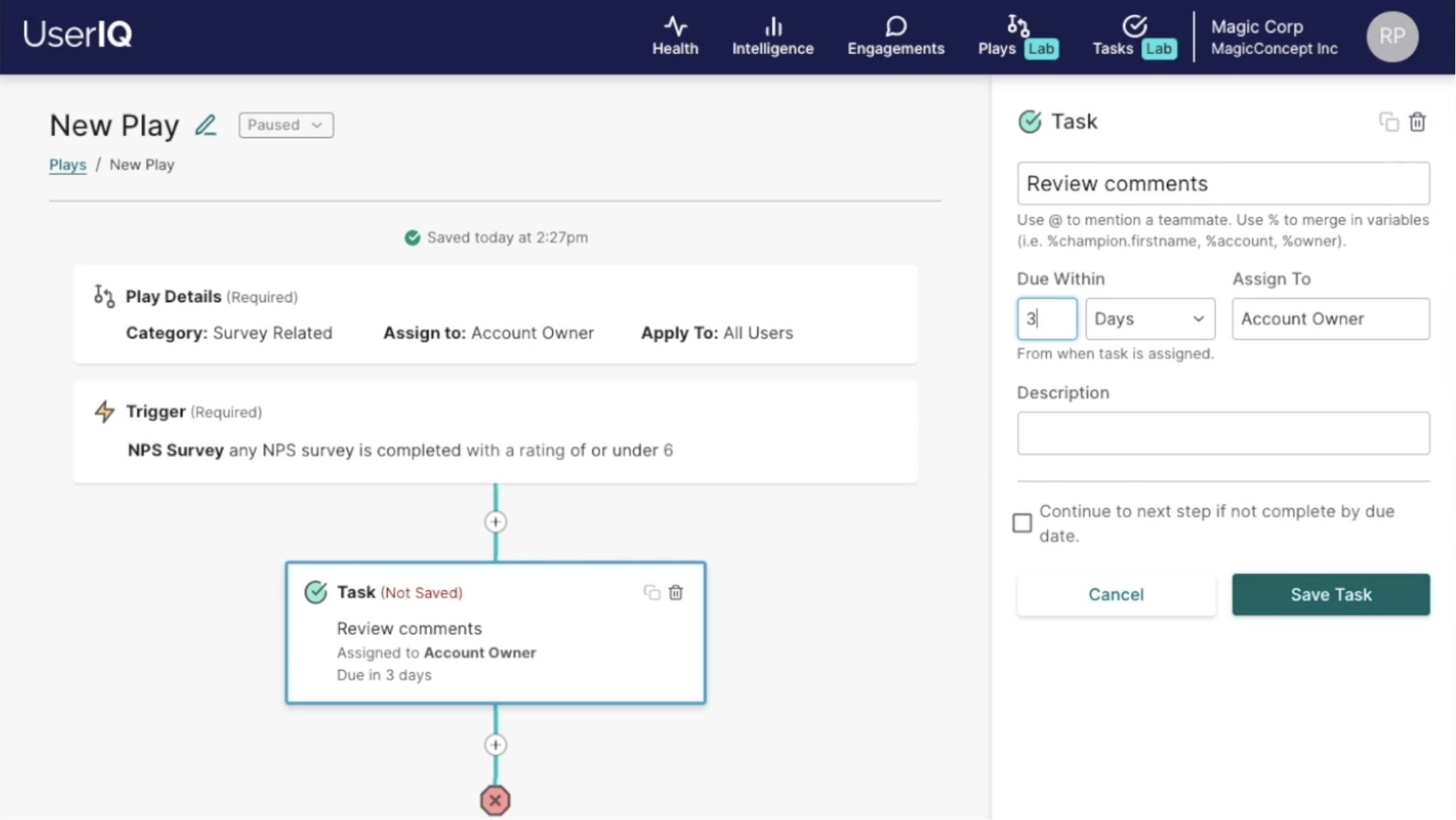
When building these features, we used User Interviews to conduct usability tests, which gave us valuable insights. Our task-based usability tests focused on the creation of a new play, and gave us valuable insight into the layout of the builder, visualization and progression of steps, labels, and level of understanding around verbiage within this environment which carries with it layers of complexity that we were aiming to simplify as much as possible to meet additional design principle goals:
When building a major new feature set like tasks, plays, and notifications, we adopted the approach of designing with big-picture, future-focus in mind through ideation and initial definition until up to the point in which the engineering team could give rough timeline estimates. Not surprisingly, with the level of complexity inherent in this feature set and the small size of our development team, we needed to pare back our scope from there and leave some things for future versions.
That said, this approach did help us to design with modularity and flexibility for future component additions in mind, also keeping in mind that in an Agile environment, those future versions would be different than what we originally imagined them to be.
Even so, there remained a number of complexities we gave heavy guidance and support to, leading the charge around simplifying data and logic around the following by creating formulas and flows:
These are attributes of accounts or users applied to a play, notification, or in-app campaign to narrow down the applicable target of these automated processes (either account or user). I described these as adjectives – some of which were more static and others more dynamic. These can be combined or use AND/OR logic to further narrow down the group. These leverage the same UI pattern and logic as dashboard filters.
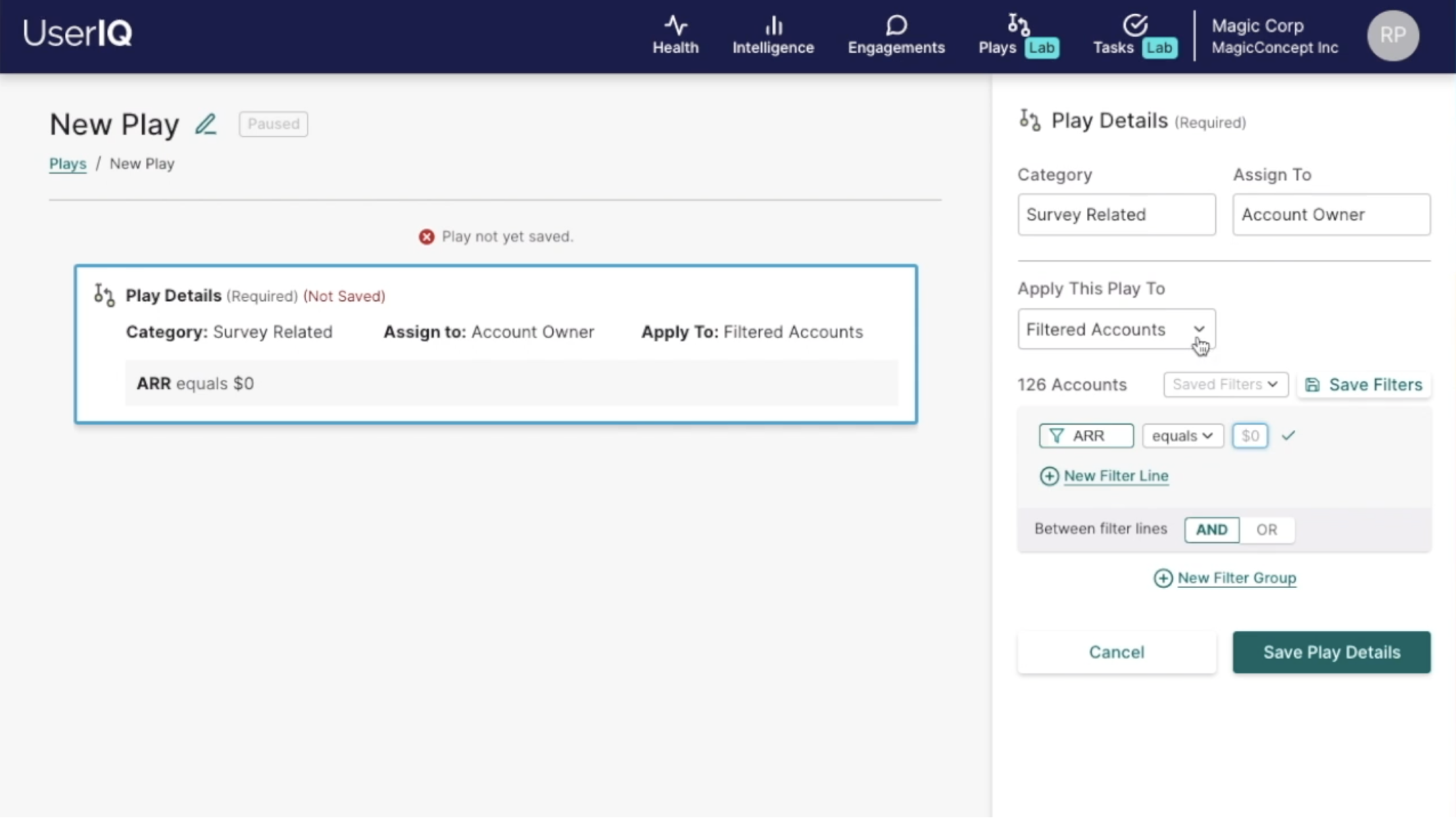
Examples include:
An event at a given point of time, usually (though not always) related to an account and/or user of our customer's platform. These can trigger automated processes such as plays and notifications. I described these as verbs - only one can be used at a time. We created a sentence-based UI pattern similar to that of filters that could be applied to different features where triggers are used.
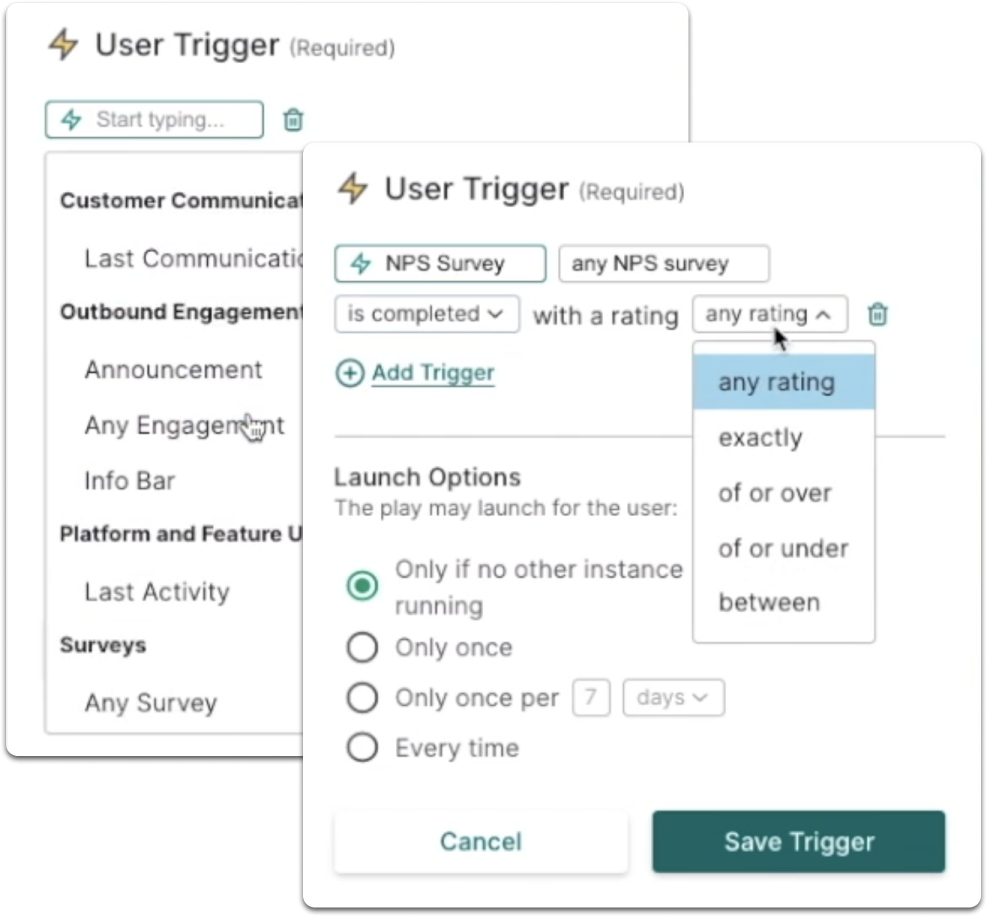
Examples include:
Since plays are generic processes, variables were needed to specify any account specific details, such as the first name of a champion or the account name.
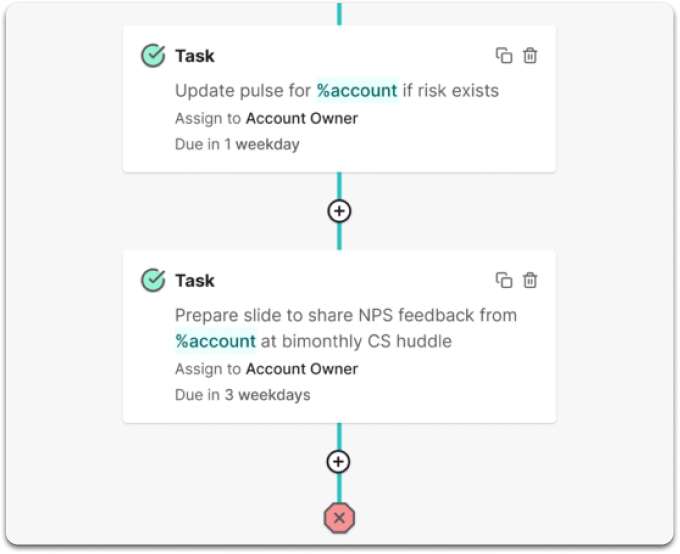
For example, when creating a task as part of a new play, a CS leader couldn't write a straightforward task name like "Call Betty at Sample Co." because the leader wouldn't know 1) which account the play will be applied to or 2) which user will be relevant for the task. Instead, the leader would write "Call %user.firstname at %account". When the play is triggered, these variables would be filled in based on the account and relevant user. In one case, the task could read "Call Betty at Sample Co." and in another case, "Call Samuel at Acme Software".
Similar to variables, since plays represent a standardized process across the CS team, when plays are started, both the play and the tasks within the play need to be assigned to specific people related to the relevant account.
In order to assign ownership of plays and tasks, we created role-related variables. For example, you could assign a task to a specific team member who's responsible for a certain task (i.e. "CEO call with %champion.firstname" could always be assigned to Chantal, the CEO), or the CS leader creating a play could assign a task to a variable like "Account Owner", which will ensure the task is created for the relevant CSM for the account that corresponds with a particular play iteration.
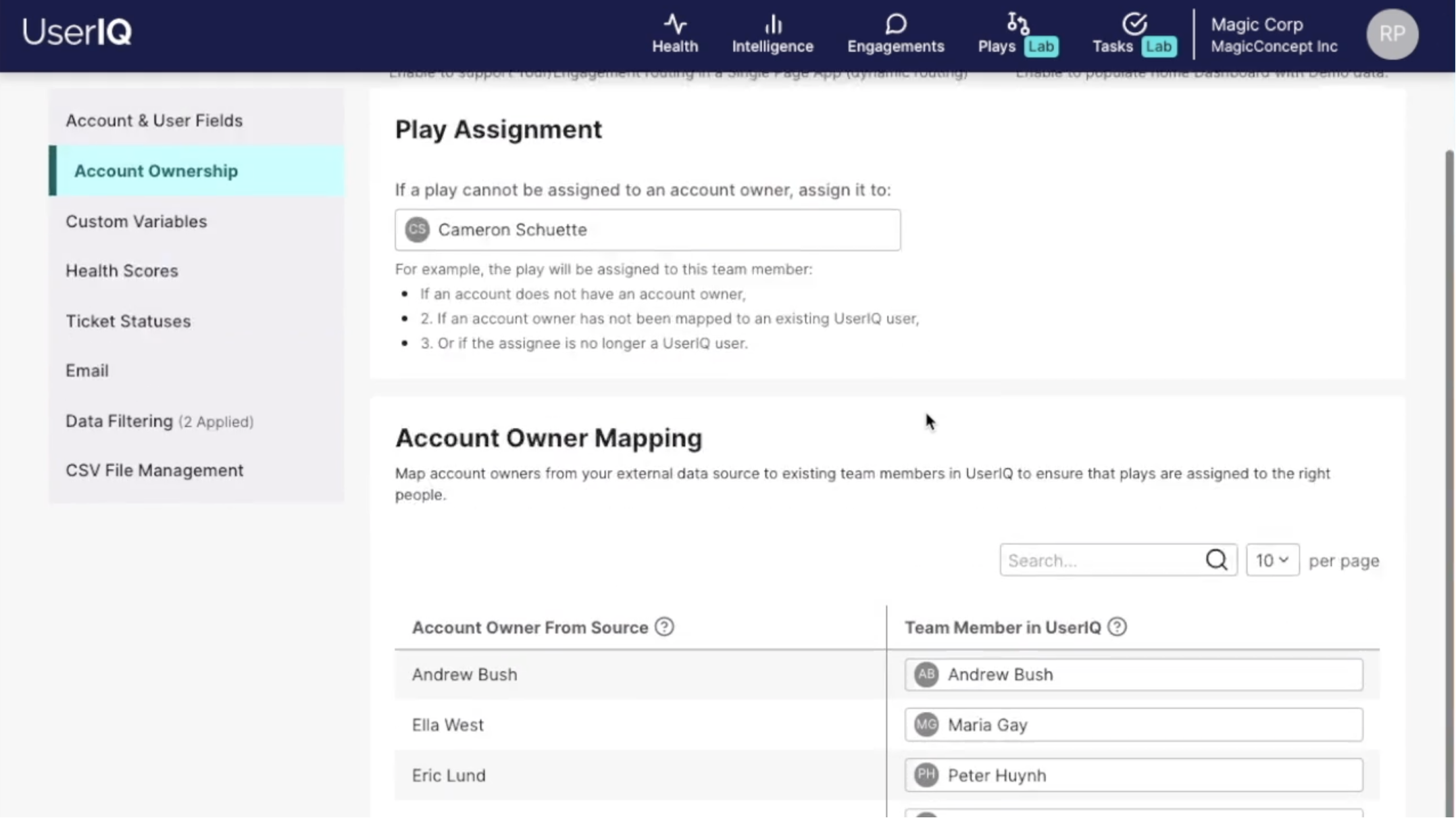
To ensure no play instances fell through the cracks, we also added a default play owner setting and a mapping interface to ensure account owners imported from external data sources corresponded with real people with a UserIQ login.
With one of our goals being empowering CS teams to continually improve processes through play performance metrics, we faced a data dilemma: When a play is modified, some of the key metrics defining success also change (for example, if one process includes 5 steps and its second iteration includes only 3, they would be expected to take different amounts of time to execute). Play instances to be as apples-to-apples as possible to gauge success, so we separated each iteration into a different "version" with its own statistics.
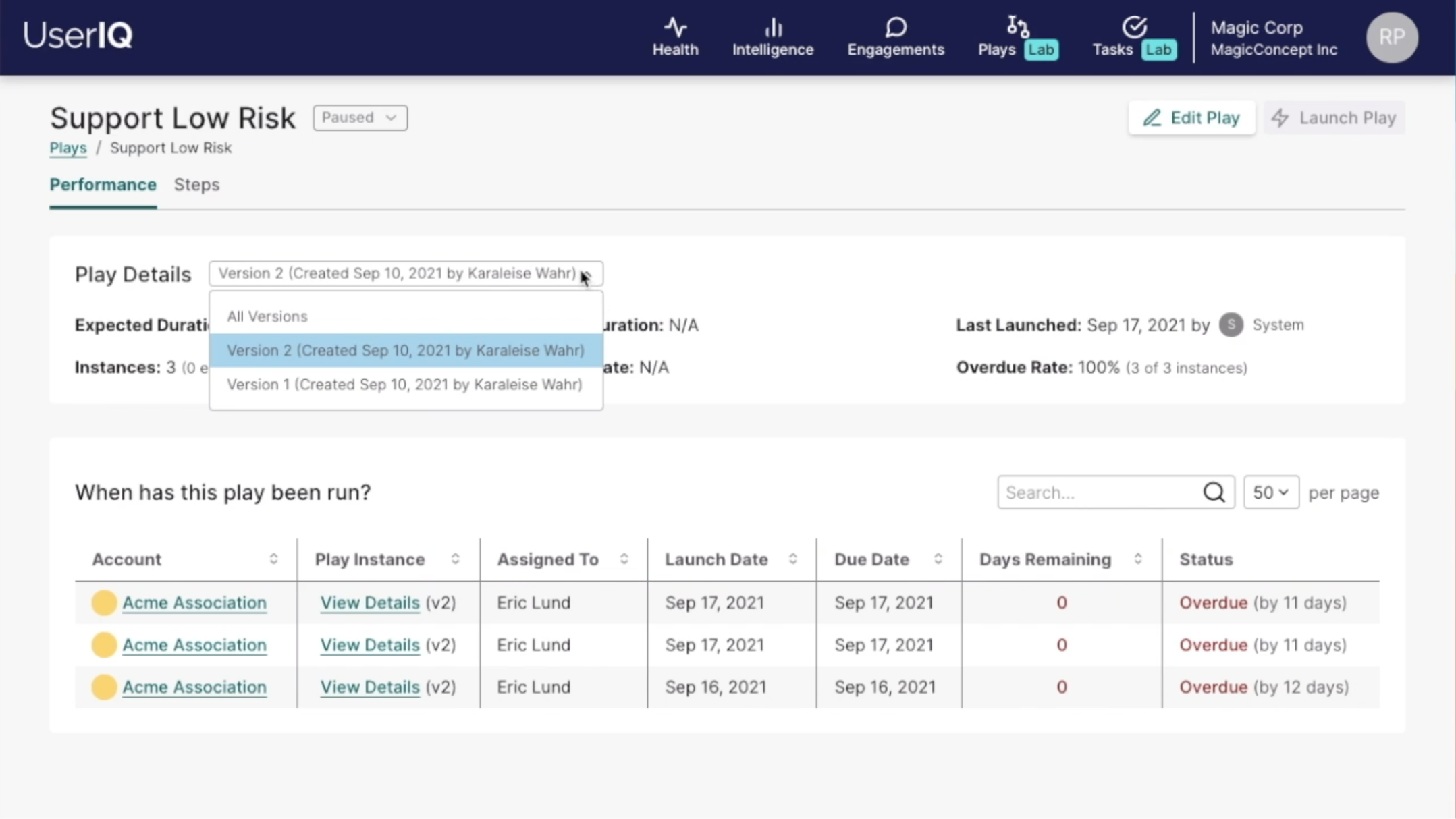
Additionally, separating iterations into different versions allows CS leaders to see which versions of a play were more successful. If version 2 performs worse than version 1, a CS leader could create a version 3 that more resembles version 1.